12 Best Customer Testimonials Template Resources for 2025
Find the perfect customer testimonials template with our curated list of 12 tools for collecting, managing, and displaying powerful social proof.

Getting great customer testimonials can feel like a chore. You know you need them for your website, social media, and sales pages, but asking for them often falls to the bottom of the to-do list. When you finally ask, you might get a generic response or, worse, nothing at all.
The problem is often the process, not your product or your customers. A solid customer testimonials template gives you a repeatable way to ask the right questions at the right time. It helps your customers provide specific, useful feedback that you can turn into compelling marketing assets that build trust. Well-placed testimonials also directly influence visitor actions and help you improve website conversion rates.
This guide simplifies the entire process by presenting 12 different resources. We've gathered everything from simple email scripts and survey forms to complete platforms designed to automate the work for you. You'll find templates for collecting text, video, and star ratings, plus tools to help you manage and display them beautifully on your site. Each option includes screenshots and direct links so you can immediately find what works best for your business. We get straight to the point, showing you exactly where to find the best templates to start collecting powerful social proof today.
1. Surva.ai
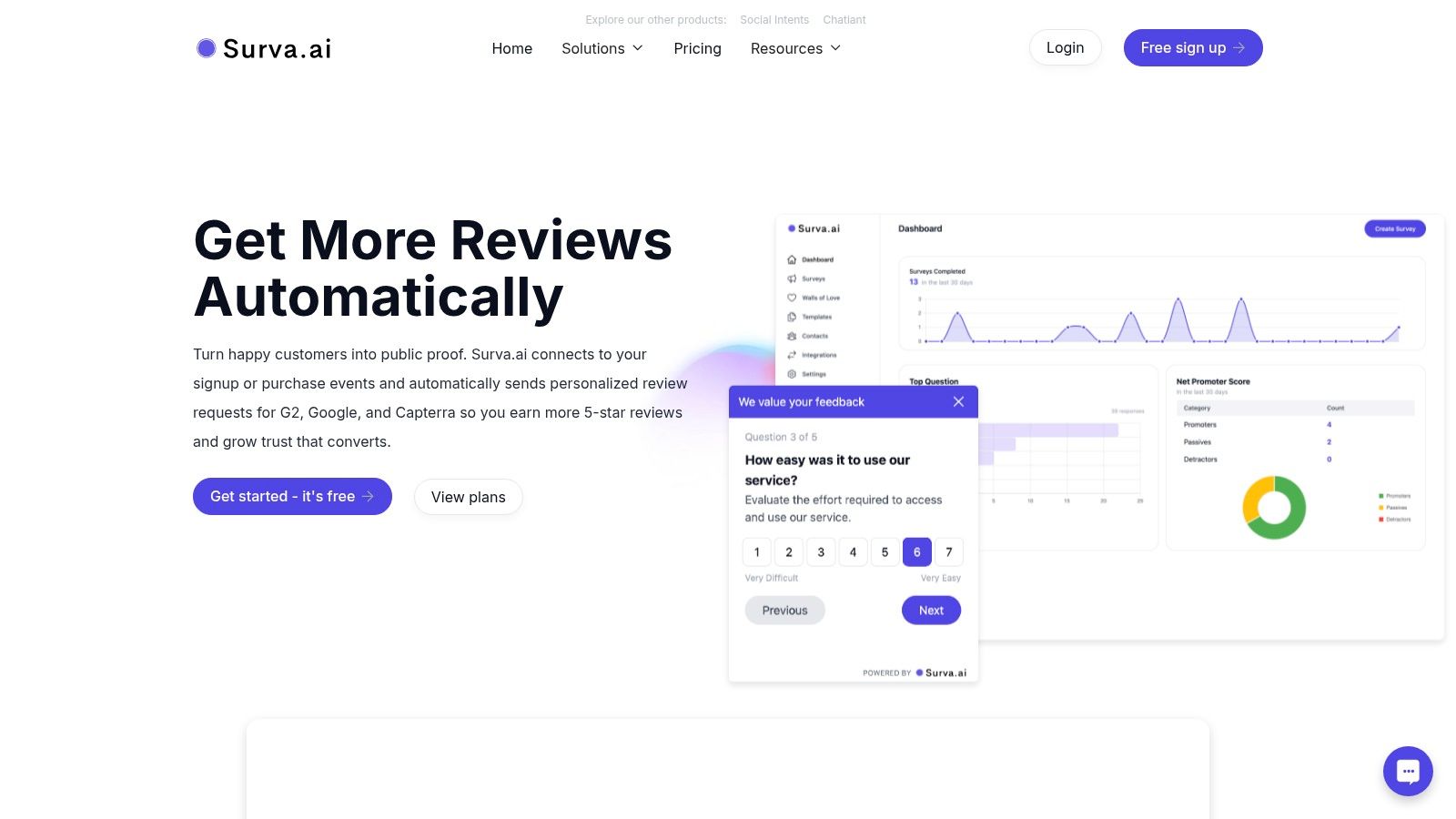
Surva.ai is a powerful, AI-driven platform for SaaS companies looking to turn customer feedback into a growth engine. It offers a full suite of survey and feedback tools, but its features for automating the collection and showcasing of testimonials are particularly strong. This makes it a top choice for sourcing a powerful customer testimonials template and managing the entire workflow. The platform is designed to go beyond simple forms by integrating directly into the customer lifecycle to capture social proof at moments of high satisfaction.
The platform excels by combining intelligent automation with user-friendly presentation. For instance, it can automatically send review requests to your happiest users, guiding them to platforms like G2, Capterra, or Google. This systematic approach provides a consistent flow of high-quality testimonials without the manual chase. Its native integrations and targeted triggers make it a very helpful tool for teams that need to scale their social proof efforts efficiently.
Key Strengths and Use Cases
Surva.ai is a complete system for customer voice management. For marketing and sales teams, the "Wall of Love" feature is a significant asset. It automatically aggregates your best testimonials into a visually appealing, shareable page that can be embedded directly on your website to build trust and boost conversions.
- SaaS Churn Reduction: Its native Stripe integration allows for intelligent cancellation flows. When a user tries to cancel, Surva.ai can trigger personalized offers like discounts or subscription pauses, directly addressing issues and recovering revenue.
- Automated Social Proof: The platform identifies satisfied customers based on feedback scores and automatically prompts them for reviews on key sites. This helps you build a strong public reputation with minimal effort.
- AI-Powered Insights: Surva.ai uses AI to analyze survey responses, surfacing actionable takeaways and sentiment trends. This helps product and customer success teams quickly find user needs and pain points. For a deeper look at collecting feedback, you can explore some effective strategies for how to ask for testimonials on Surva.ai.
Platform Considerations
While Surva.ai is optimized for SaaS workflows, its core testimonial and feedback features are valuable for many online businesses. The platform offers a free sign-up, allowing you to explore its capabilities firsthand. However, detailed pricing for higher-tier plans requires visiting the "View plans" page, as it is not displayed directly on the main landing page. Its primary focus on subscription models means that non-SaaS businesses might not use every feature, such as the churn-deflection flows.
Website: https://www.surva.ai
2. Typeform
Typeform offers a ready-to-use customer testimonials template that excels in creating an engaging, conversational data collection experience. Instead of a static form, Typeform presents one question at a time, a user-friendly approach that is known to significantly boost completion rates. This makes it a strong choice for businesses wanting to gather detailed text, image, or even video testimonials without creating friction for their customers.
The platform’s strength lies in its combination of beautiful design and powerful backend logic. You can easily duplicate their testimonial template, customize it with your branding, and apply conditional logic to ask follow-up questions based on previous answers. For example, if a user gives a high rating, you can automatically prompt them for a detailed quote or video.
Implementation and Access
The template is available with a free Typeform account, which allows for basic use. To remove Typeform branding, access advanced features like payment collection, or handle a higher volume of responses, a paid plan is necessary. Submissions can be routed directly into your existing workflows through over 300 integrations, including Slack, HubSpot, and Zapier. This makes it simple to alert your marketing team of new testimonials or add positive feedback directly to your CRM.
- Pros: Extremely fast to launch; user experience boosts completion rates; powerful integrations.
- Cons: Paid tiers are required to remove branding and unlock advanced logic; response-based billing can become costly at scale.
- Link: Typeform Testimonial Form Template
3. Jotform
Jotform provides a vast library of customer testimonials template options that are highly customizable through its powerful drag-and-drop builder. Its key differentiator is the sheer volume of templates and widgets available, allowing businesses to create highly specific forms. Users can easily incorporate elements like file uploads for customer photos, e-signatures for consent, and even conditional logic without writing any code. This makes it ideal for teams that need more than a simple text-based feedback form.
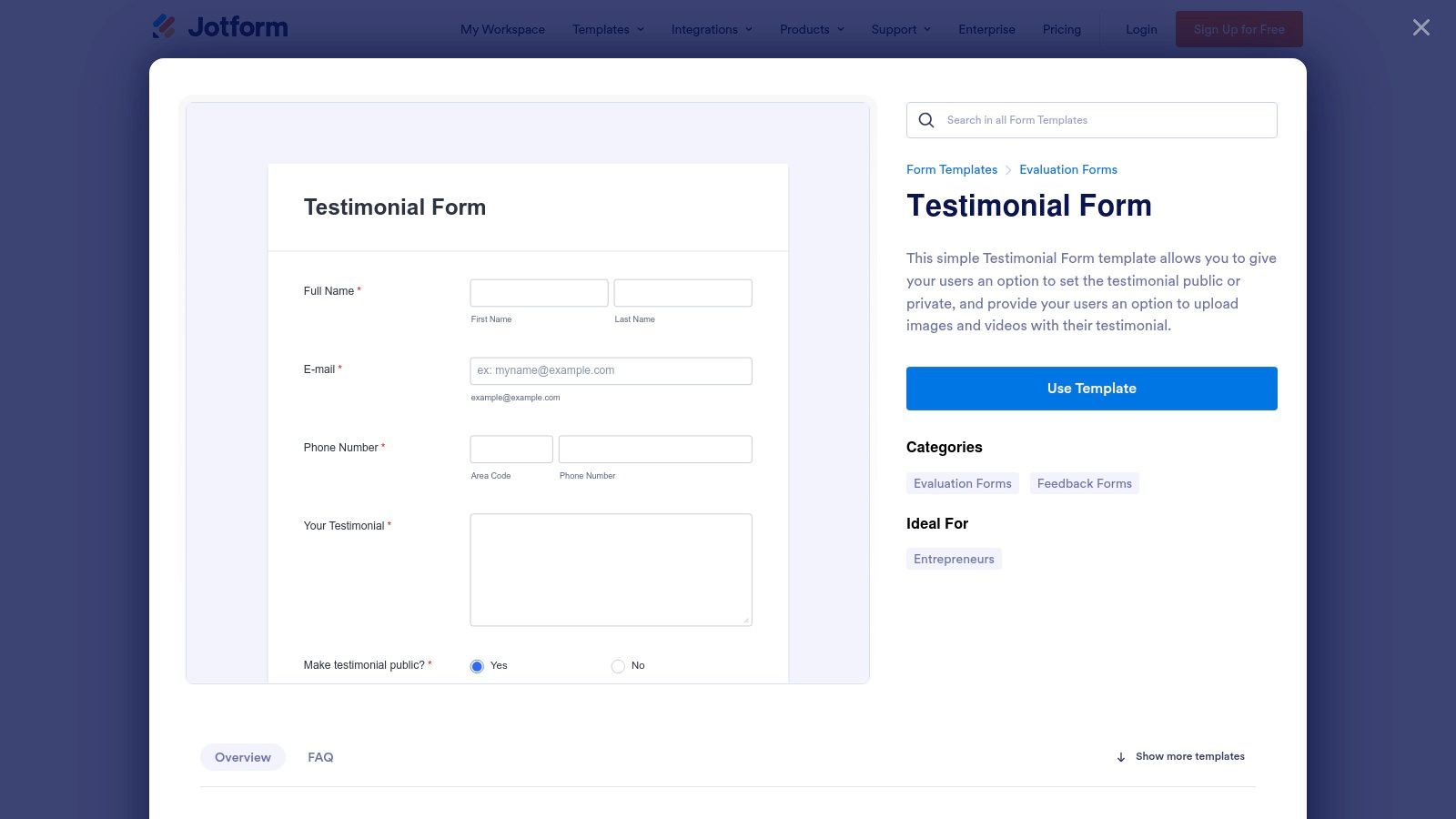
The platform is designed for practicality and integration. Once you select a template, you can add dozens of widgets for star ratings, scales, and more to capture nuanced feedback. The forms are mobile-responsive by default, creating a smooth experience for customers on any device. For teams that need to act on testimonial data quickly, Jotform's extensive integrations with tools like Google Sheets, Dropbox, and various CRMs automate the entire data collection and management process.
Implementation and Access
You can start using Jotform’s testimonial templates immediately with a free account, which offers a generous number of forms and submissions for small-scale use. Paid plans are available to remove Jotform branding, increase submission limits, and unlock advanced features like HIPAA compliance. The forms can be embedded directly onto a website, shared via a link, or even assigned to team members. Data can be exported as a PDF, CSV, or Excel file, providing flexibility for analysis and reporting.
- Pros: Generous free tier for small teams; extensive widget library and integrations; robust file upload and e-signature capabilities.
- Cons: Jotform branding is present on the free plan; the feature-rich user interface can feel busy to new users.
- Link: Jotform Testimonial Form Templates
4. ClickUp
ClickUp provides a free customer testimonials template designed to transform testimonial collection into a structured project management workflow. This template creates a dedicated space within a ClickUp workspace to collect, track, and manage testimonials using forms, custom statuses, and collaborative views. This approach is ideal for teams that want to centralize the entire testimonial lifecycle, from initial submission to internal approval and marketing use.
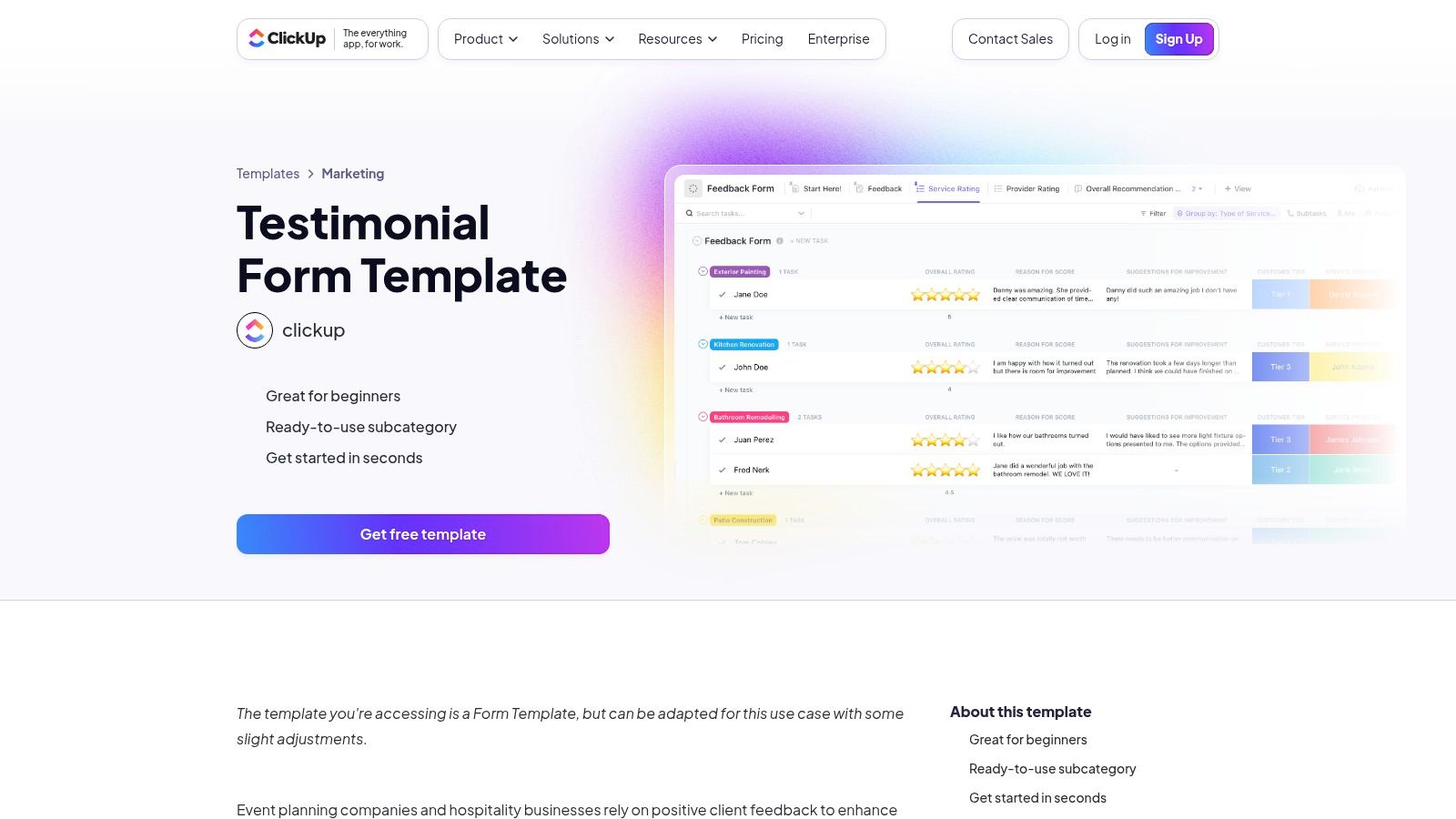
The template's main advantage is its operational focus. It comes pre-configured with a testimonial submission form and uses List and Board views to visualize progress. Custom fields for source, rating, and key quotes allow for detailed tracking and sorting. Teams can assign new testimonials to specific members, leave comments, and manage the entire process without leaving their primary work hub. Beyond just testimonial collection, platforms like ClickUp also offer valuable resources such as customer success plan templates, including those from ClickUp, helping you structure your overall customer engagement strategy.
Implementation and Access
The template is available on ClickUp's free plan, making it a cost-effective solution for organizing your feedback. You can access it directly from ClickUp's template library and customize the form and workflow to match your needs. While the form itself can be shared via a public link, it is not a standalone website widget and embedding it requires additional steps or third-party tools. The core value is in its integration with the ClickUp ecosystem, making it a powerful choice for existing users.
- Pros: Centralizes testimonial collection and operations in the same tool; available on ClickUp’s free plan.
- Cons: Not a public website widget by itself, embedding or export requires extra steps; requires adopting a ClickUp workspace.
- Link: ClickUp Testimonial Form Template
5. Testimonial.to
Testimonial.to is a purpose-built platform designed to streamline the entire process from collecting a customer testimonials template to publishing a beautiful display. Its core strength is the “Wall of Love,” a collection of pre-made, embeddable layouts (masonry, grid, carousel) that you can customize with your branding. This makes it an excellent choice for teams that want a fast and visually appealing way to showcase social proof with minimal development effort.
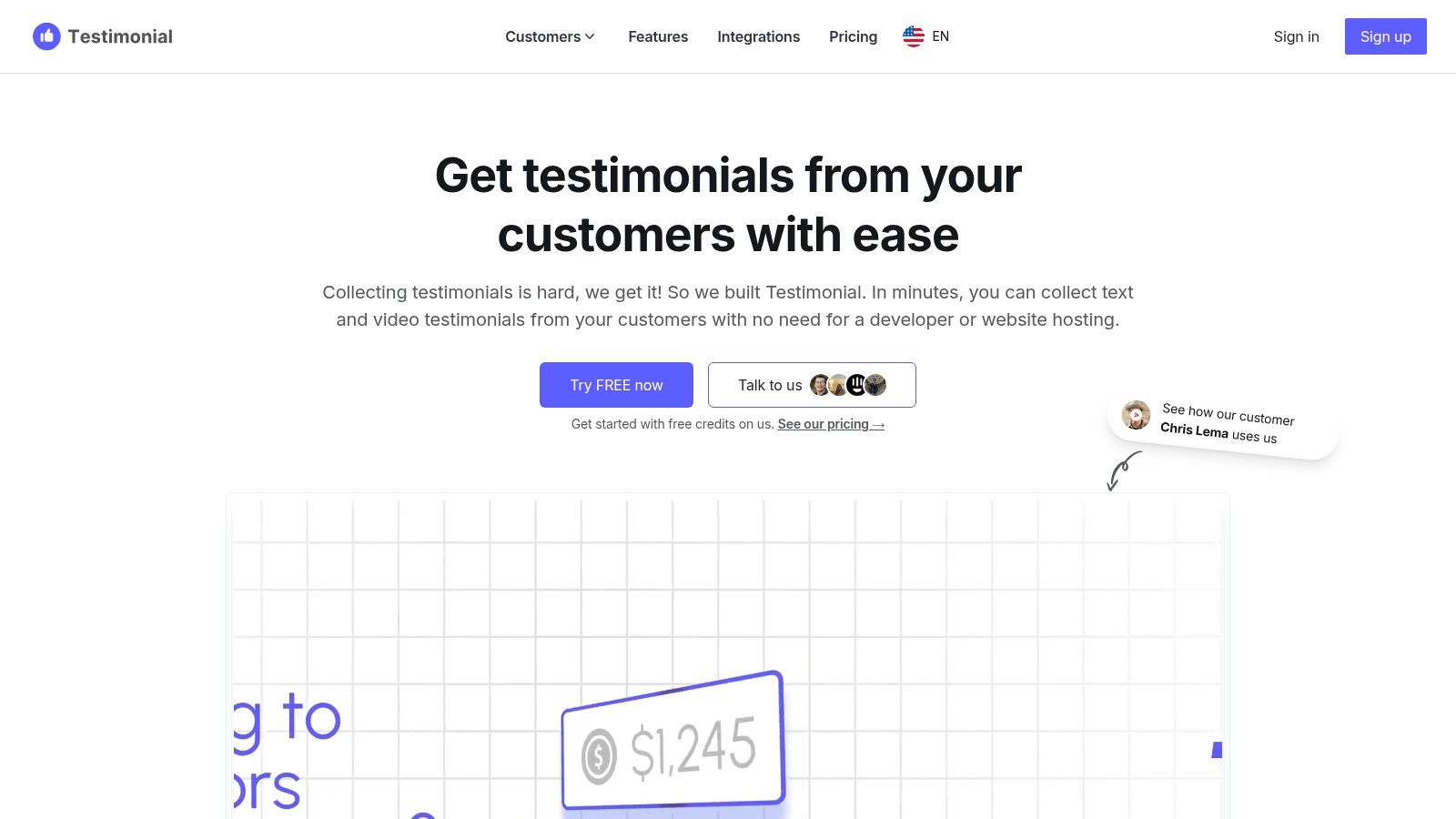
The platform offers a complete solution by providing both the collection forms and the display widgets. You can set up automations to populate new testimonials directly to your public wall, giving you fine-grained control over tagging and curating what gets shown. This end-to-end approach simplifies the workflow significantly, connecting the request directly to the final published asset. For more advanced implementations, their documentation provides clear guidance on how to effectively place these elements, a topic you can explore further by reading about testimonials on a website.
Implementation and Access
You can begin using Testimonial.to with a free trial to explore its features. The full capabilities, including custom branding, advanced layouts, and higher storage limits, are available through tiered paid plans. The platform is designed for easy embedding, allowing you to copy and paste a simple code snippet into your website builder or codebase. This makes launching a professional-looking testimonial page a quick process for marketing and product teams alike.
- Pros: Very fast path from testimonial request to a published, interactive wall; comprehensive documentation for embedding and integration.
- Cons: Certain features and storage capacity are limited by the selected plan; pricing and plan details have changed over time, so you should verify current offerings.
- Link: Testimonial.to Website
6. Senja
Senja provides a dedicated platform for collecting, managing, and showcasing social proof. It offers a specialized customer testimonials template through its collection forms, which are designed to capture both text and video feedback efficiently. The system is built for users who want an all-in-one solution, moving from collection to public display with minimal effort using features like a "Wall of Love" or individual widgets.
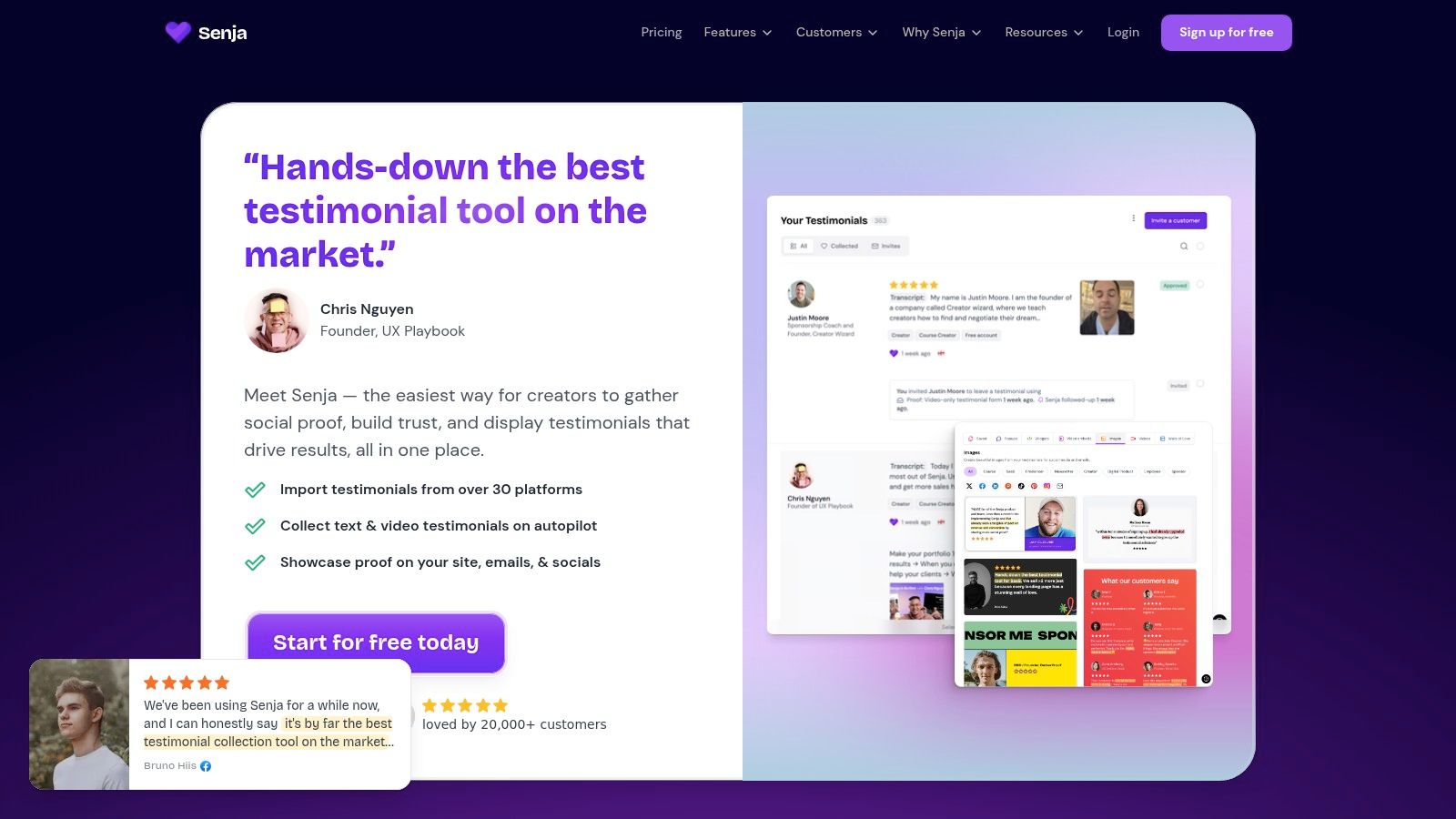
The platform's main advantage is its focus on presentation. After collecting testimonials, you can automatically generate well-designed images and social media assets from the text and user photos. This capability helps marketing teams quickly turn positive customer feedback into shareable content for various channels, streamlining the social proof lifecycle from a single dashboard.
Implementation and Access
Senja offers a generous free plan that allows you to collect up to 15 testimonials and use one widget, making it accessible for new businesses to get started. Paid plans are required for unlimited testimonials, more widgets, custom domains, and removing Senja branding. For automation, Senja integrates with Zapier and provides an API, allowing you to connect testimonial collection to your CRM or other marketing tools to trigger requests after a customer completes a key action.
- Pros: Generous free plan for starting out; clean UI and fast setup for a public testimonial wall; automatically generates social media assets.
- Cons: Unlimited usage and advanced features require paid plans; has fewer native CMS-specific integrations than some larger competitors.
- Link: Senja
7. EmbedSocial
EmbedSocial focuses on the display and aggregation of social proof rather than just the collection. It provides a rich library of embeddable customer testimonials template widgets, such as carousels, grids, and blocks, designed to seamlessly integrate reviews from various sources directly onto a website. The platform is ideal for businesses that want to automatically pull in reviews from Google, Facebook, and other platforms and display them in a polished, professional format.
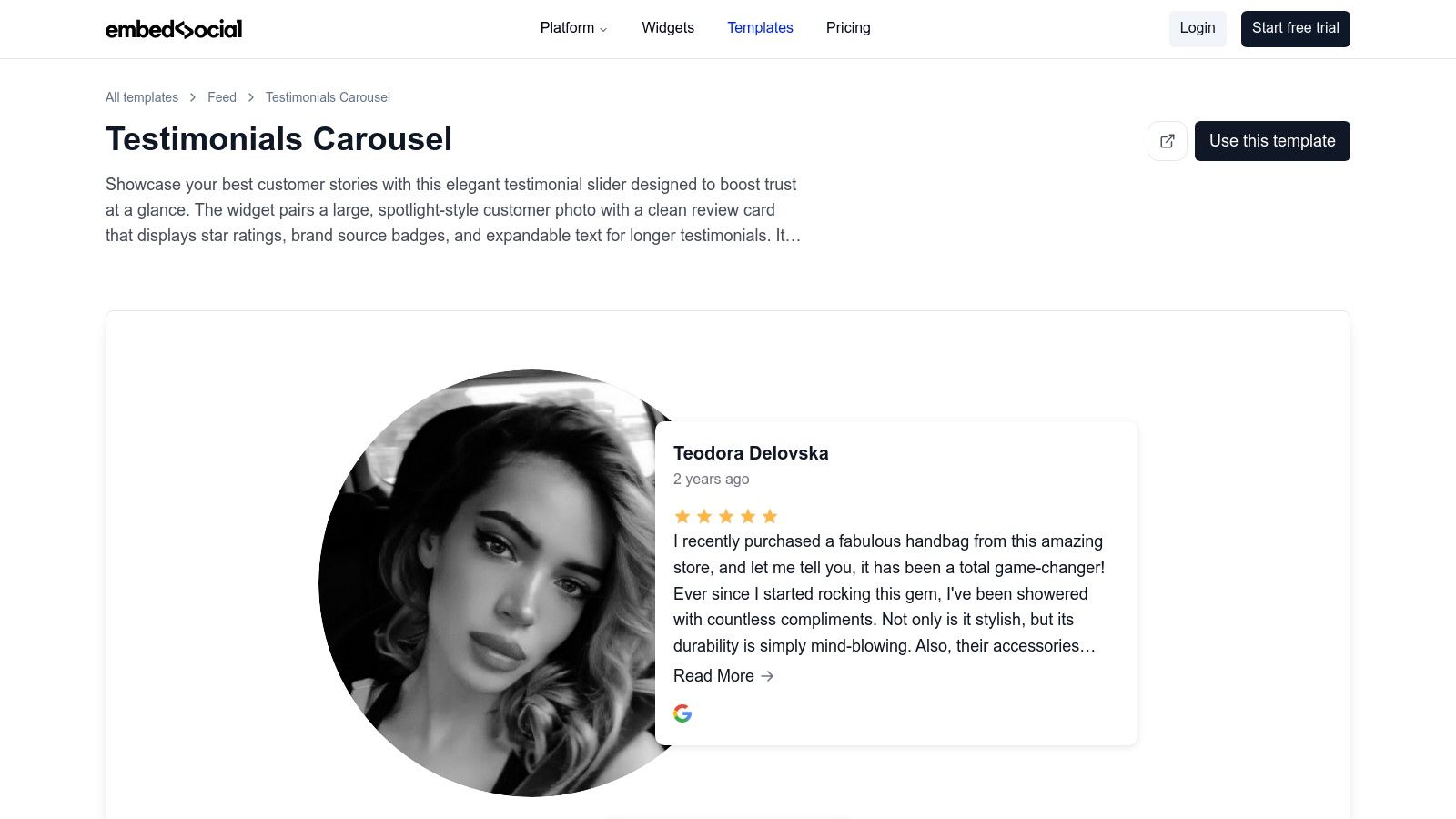
The primary strength of EmbedSocial is its ability to automate the flow of social proof from its origin to your website. You can connect your review sources, and the platform will auto-sync new testimonials. Each widget template is highly customizable, allowing you to match your brand's styling, and includes moderation controls so you can manage which reviews are publicly displayed. The templates are also designed to load quickly, preventing a negative impact on your site's performance.
Implementation and Access
EmbedSocial offers different products, including EmbedReviews and EmbedForms. A free plan is available for basic use, which includes one source and one web widget. To unlock features like additional sources, video reviews, and advanced customization, a paid subscription is required. The pricing structure can be a bit complex as it varies by product, so users should carefully review which plan fits their specific need for review aggregation or form collection.
- Pros: Broad integrations with social networks and review sources; templates designed to load quickly on websites; strong automation for review aggregation.
- Cons: Most advanced options are on paid plans; pricing structure varies by product and can be confusing.
- Link: EmbedSocial Testimonials Carousel Template
8. Etsy
For teams seeking visually appealing and ready-to-use social media graphics, Etsy serves as a massive marketplace for customer testimonials template bundles. It is an excellent resource for marketers who need affordable and instantly available Canva templates for Instagram posts, stories, and other social platforms. Rather than offering a tool to collect feedback, Etsy provides the final design assets to showcase the testimonials you already have.
The platform’s key advantage is the sheer volume and creative diversity offered by thousands of independent designers. You can find template packs matched to specific industries, aesthetics, or color palettes. Most sellers offer instant digital downloads, allowing you to purchase a bundle of 20 to 40 different layouts and begin customizing them in Canva within minutes. This makes it an ideal solution for quickly generating a large batch of on-brand social proof content.
Implementation and Access
Access is straightforward: purchase a template pack from a seller, and you will typically receive a PDF with a direct link to the editable Canva template. Most designs are compatible with the free version of Canva, although some may require a Pro account for specific fonts or elements. Since each seller is an independent business, the quality, complexity, and licensing terms can vary significantly. It is important to read each product description and store policy carefully to find usage rights before purchasing.
- Pros: Extremely affordable with a huge variety of styles; instant access allows for quick content creation; easy to customize in Canva.
- Cons: Design quality and standards vary by seller; you must check the license terms for each individual purchase.
- Link: Etsy Canva Testimonial Template
9. Creative Market
Creative Market provides a unique resource for businesses needing a high-quality, visual customer testimonials template. It is a marketplace where designers sell professionally crafted, editable templates for showcasing testimonials on websites, social media, and marketing materials. This is an ideal solution for teams that want to produce brand-consistent social proof graphics and have more creative control over the final presentation.
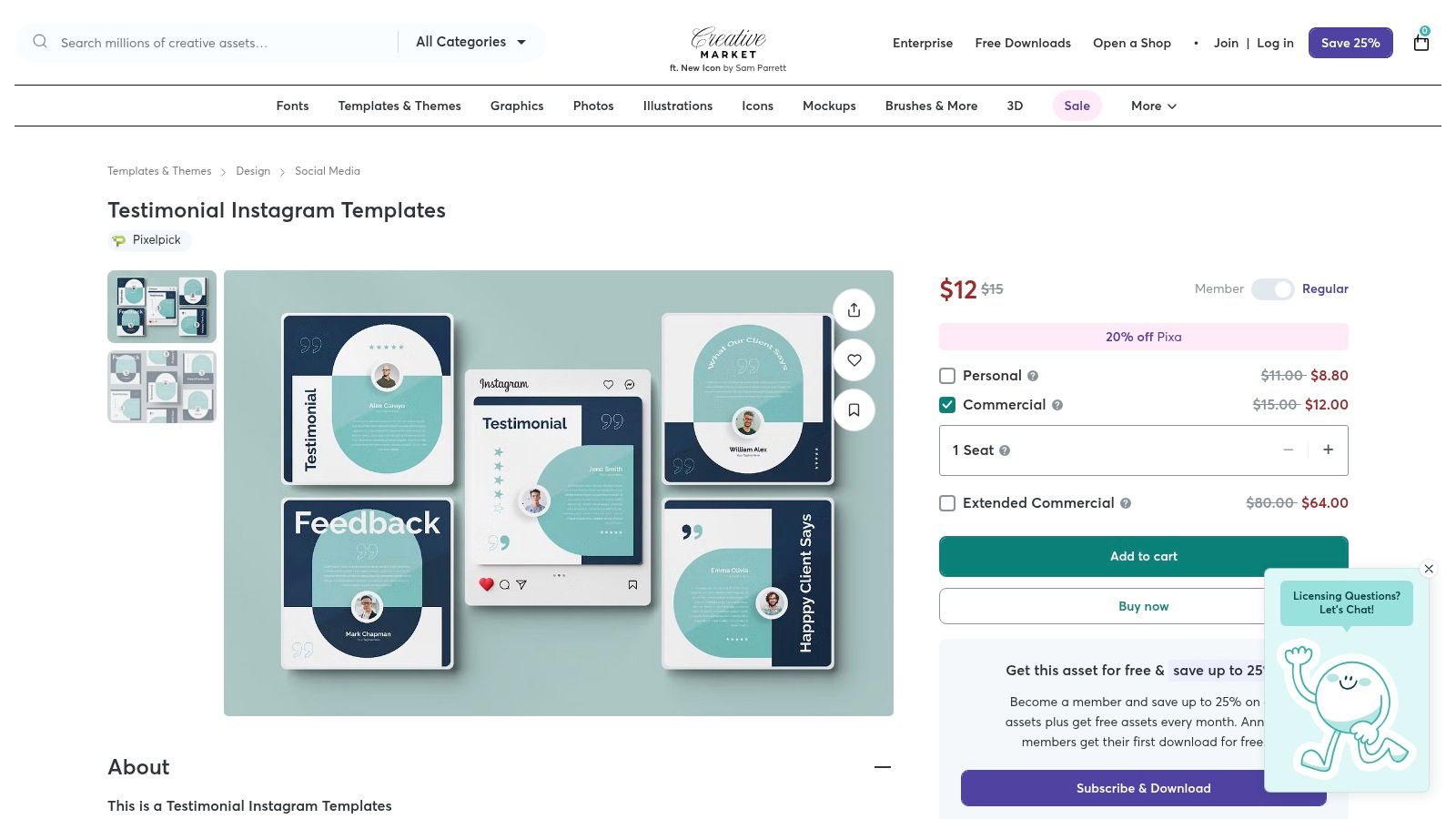
The platform’s value comes from its curated selection and the direct access it provides to source files. Marketers and designers can purchase templates in formats like Adobe Illustrator (AI), Photoshop (PSD), or EPS. This allows for complete customization of colors, fonts, and layouts to perfectly match a company's brand identity, resulting in a polished and professional look that stock template builders might not achieve.
Implementation and Access
Each template on Creative Market is sold individually by its creator, with prices varying based on the design's complexity and the included license. A commercial license is typically included, which permits use in business-related marketing. To use these templates effectively, you or someone on your team will need basic familiarity with design software like Adobe Illustrator or Canva, depending on the file format provided by the seller. The marketplace is known for its high-quality, curated assets and clear licensing terms.
- Pros: High-quality, professional designs; provides editable source files for full brand control; clear commercial licensing for assets.
- Cons: Price varies per item and can be costly; requires design software and skills to customize the templates.
- Link: Creative Market Testimonial Instagram Templates
10. Envato Elements
Envato Elements provides a different type of customer testimonials template by focusing on the design and presentation layer. It is a vast subscription-based library where designers and marketing teams can download pre-designed testimonial sections and UI kits. These assets, available in formats like Figma, Adobe XD, and Photoshop, allow you to build visually striking testimonial displays for websites, landing pages, or applications without starting from a blank canvas.
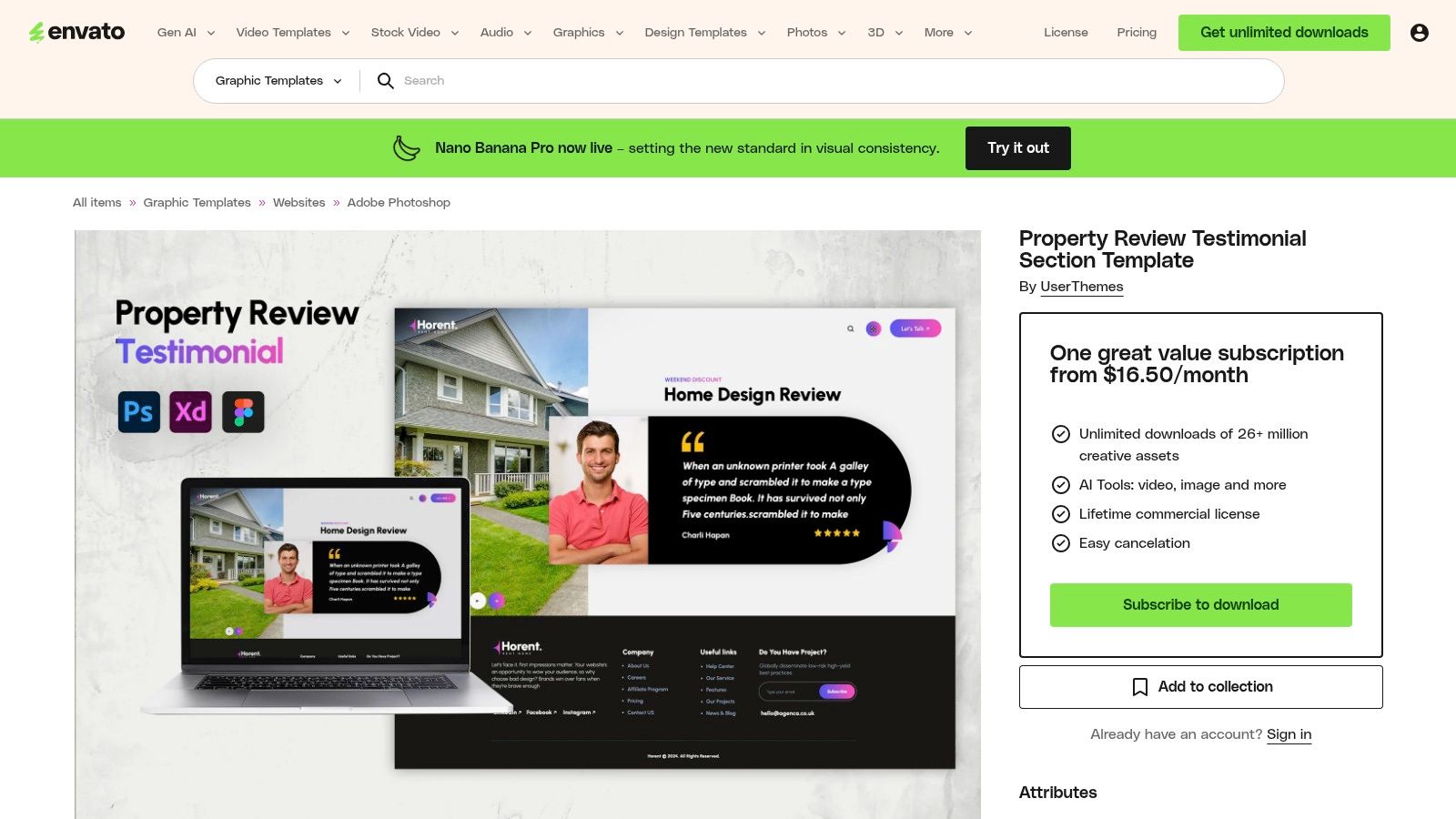
The platform’s value is its "all-you-can-download" model, making it highly efficient for creative teams that regularly need design components. Instead of purchasing individual templates, a single subscription provides access to millions of assets, including testimonial blocks, review card layouts, and complete UI kits. This approach is ideal for agencies or in-house teams that want to maintain a high standard of visual quality and consistency across various projects while streamlining their asset procurement process.
Implementation and Access
Access to all templates and design files requires an active Envato Elements subscription, which grants unlimited downloads and a commercial license for the assets you use. Once downloaded, the design files can be customized within their native software (like Figma or Adobe XD) and then handed off to developers for implementation. The primary benefit is speed; your team can skip the foundational design phase and move directly to adapting a professional template to fit your brand.
- Pros: Huge library useful for teams needing recurring assets; efficient for repeatedly sourcing design components and templates; commercial license included.
- Cons: Requires an active subscription to download items and updates; mixed community feedback means you should vet items and authors carefully.
- Link: Envato Elements Testimonial Section Template
11. Template.net
Template.net provides a library of downloadable customer testimonial template documents designed for businesses needing professional, print-ready, or web-based layouts. This platform is particularly useful for teams without dedicated designers, offering templates in versatile formats like Microsoft Word, Adobe Photoshop (PSD), and Apple Pages. It allows for the quick creation of polished case studies, printable social proof sheets, and formatted web documents.
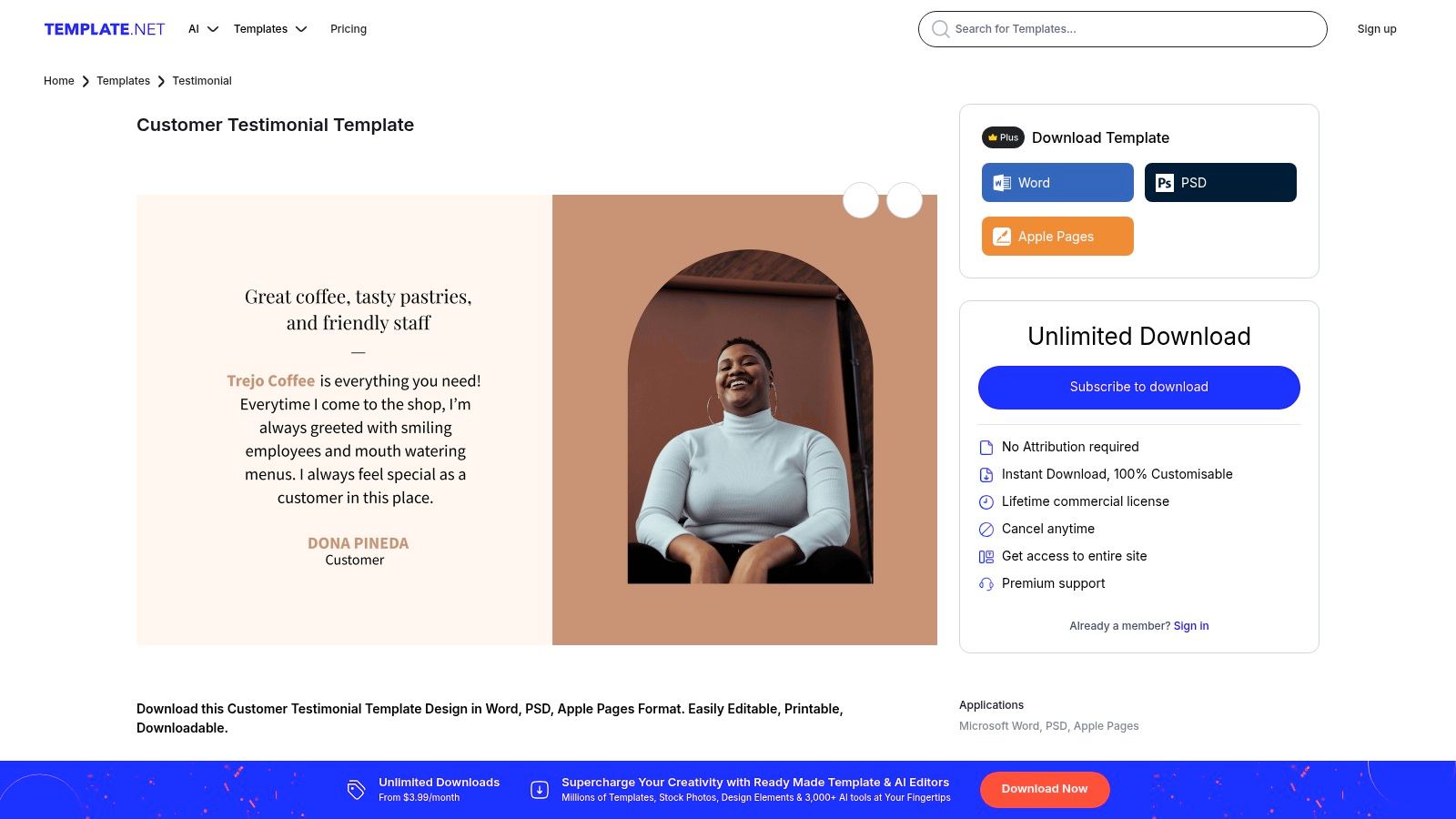
The platform’s key advantage is its focus on traditional business document formats over interactive web forms. This makes it an ideal choice for creating assets for sales presentations, marketing collateral, or formal reports. Users can select a design, download it in their preferred format, and simply replace the placeholder content with their own customer quotes and branding. For those interested in the art of crafting compelling testimonials, you can learn more about how to write a great testimonial.
Implementation and Access
While some templates are available for free, many of the premium and more professionally designed assets require a subscription or the use of download credits. This model allows users to access a wide variety of designs, but it is important to be mindful of the plan limitations. The templates are instantly downloadable after selection, making it a fast solution for producing branded testimonial PDFs or other documents without needing advanced design skills or software.
- Pros: Fast way to create branded testimonials for print or web; flexible formats are useful for non-designers and marketing teams.
- Cons: Many assets are behind a subscription or use download credits; users should watch auto-renewal terms and mixed third-party reviews.
- Link: Template.net Customer Testimonial Template
12. The Organized CEO Shop (Testimonial Central Notion Template)
This customer testimonials template is a powerful organizational tool built within Notion. The Testimonial Central template provides a pre-built database designed to centralize, tag, and manage all incoming testimonials. This creates a single source of truth, making it easy for marketing and sales teams to find and repurpose the perfect customer quote for social media, case studies, or sales decks.
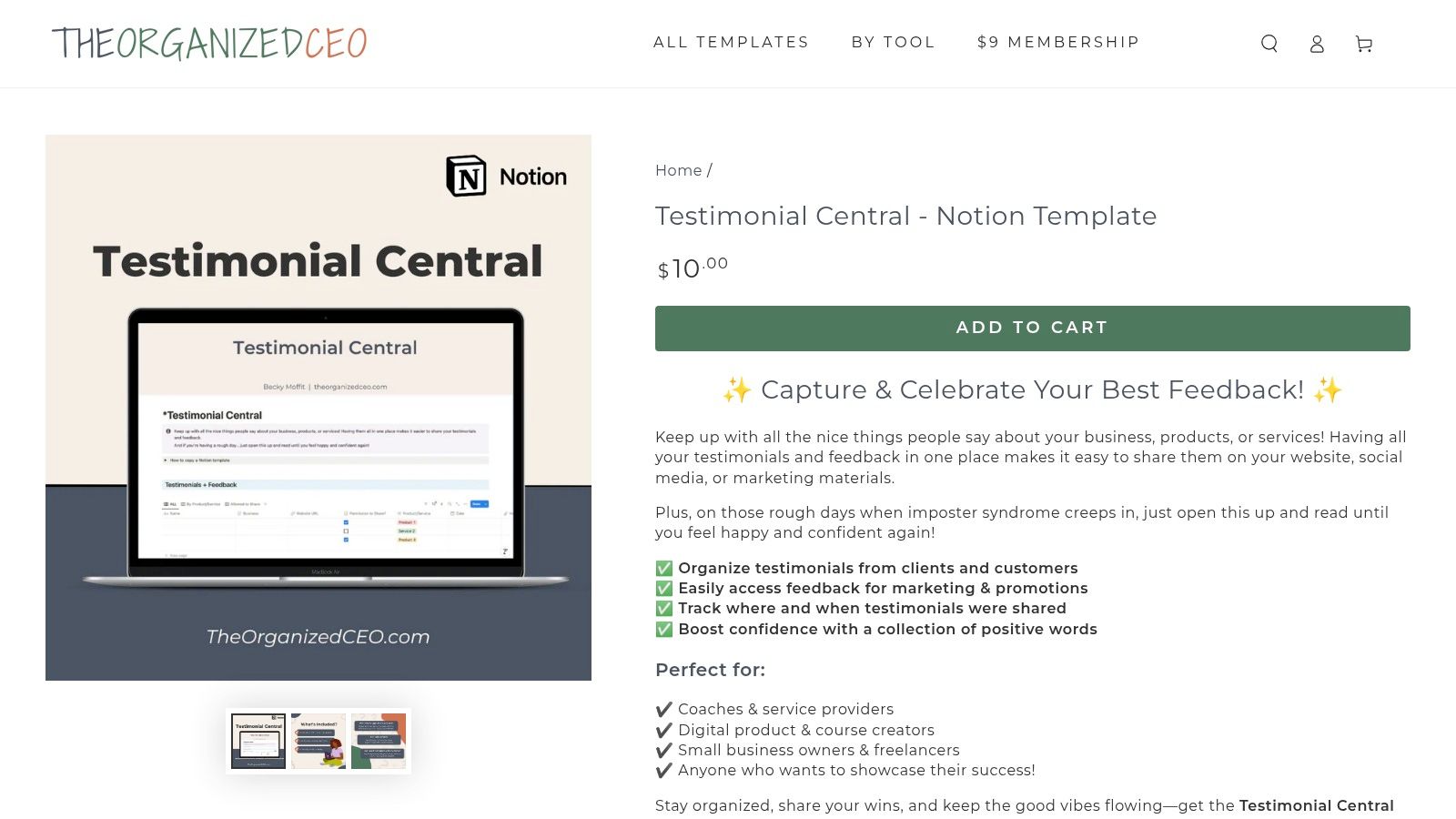
The template's value is in its structure for operationalizing feedback. It includes fields for testimonial status (e.g., "New," "Approved," "Used"), source, and tags for product or service categories. This system allows you to quickly filter your collection to find specific types of praise, track where each testimonial has been used, and build a "Wall of Love" or content calendar directly from your organized database.
Implementation and Access
The Testimonial Central template is available as a one-time purchase from The Organized CEO Shop. Once purchased, you duplicate it directly into your own Notion workspace, and it works seamlessly with Notion's free plan. Since it's a private database, it is not a public widget for collecting testimonials. You will need to manually add testimonials gathered from other sources like emails or surveys. The real power comes from integrating this organized library into your content creation workflow.
- Pros: Simple, low-cost way to organize and operationalize testimonials; no subscription needed as it lives in your own Notion workspace.
- Cons: Not a public-facing collection widget; requires extra steps to export or embed testimonials and comfort using Notion to get full value.
- Link: The Organized CEO Shop Testimonial Central Notion Template
Top 12 Customer Testimonial Template Comparison
Putting Your Testimonial Templates to Work
You now have a complete library of resources available. We've explored everything from direct email outreach scripts and in-app widget copy to structured survey questions and video request prompts. Each customer testimonials template serves a unique purpose, designed to capture authentic feedback at the most impactful moments in the customer journey.
The main takeaway is that a template is only as good as the system you build around it. Simply having the words is not enough. The real power comes from integrating these requests into your standard operations. This makes asking for feedback a consistent, automated, and natural part of your customer lifecycle.
From Templates to a Testimonial Engine
Building a reliable system for social proof requires moving beyond sporadic requests. Think about your current customer interactions and identify the ideal moments to use these templates. Is it after a customer has a successful support interaction? Or perhaps when they upgrade their subscription plan? The templates for cancellation flows, for example, show how you can gather valuable insights even at a point of churn.
The key is to match the right template to the right moment. By doing this, your request feels less like a question and more like a natural continuation of the conversation. This strategic approach transforms a simple customer testimonials template into a powerful engine for generating a steady stream of user-generated content.
Choosing the Right Tool for Your Stage
The tools and resources we covered cater to different needs and business stages. Making the right choice depends on your current workflow, technical resources, and goals.
- For maximum automation and integration: SaaS companies aiming to scale their social proof efforts will find platforms like Surva.ai, Testimonial.to, or Senja to be the most effective. These tools handle the entire process from triggering the request based on user behavior to collecting, managing, and displaying the final testimonial. They remove the manual work and create a self-sustaining feedback loop.
- For simple, focused collection: If you're just getting started or need a straightforward way to gather feedback, tools like Typeform and Jotform are excellent. You can use the email templates from this article to send a link to a beautifully designed survey. It's a low-cost, effective way to begin collecting testimonials immediately.
- For organization and management: Once you start collecting testimonials, you need a central place to store and categorize them. The Notion template we highlighted is a perfect solution for creating a searchable database. This allows your marketing and sales teams to easily find the perfect quote for a landing page, a sales deck, or a social media post.
Ultimately, the best tool is the one you will actually use. Start with what fits your current process. Whether you choose an all-in-one platform or a simple form builder, the goal is consistency. Make asking for customer stories a habit. By automating the request with the right template, you get a continuous flow of social proof that validates your product and helps new customers make the confident choice to work with you.
Ready to turn these templates into an automated system? Surva.ai provides the tools to embed feedback collection directly into your app, trigger requests based on user actions, and manage all your social proof in one place. Start building your testimonial engine today at Surva.ai.

Sophie Moore
Sophie is a SaaS content strategist and product marketing writer with a passion for customer experience, retention, and growth. At Surva.ai, she writes about smart feedback, AI-driven surveys, and how SaaS teams can turn insights into impact.