How to Ask Customers for Reviews: A SaaS Growth Guide
Discover how to ask customers for reviews and boost social proof. This guide offers proven templates, timing strategies, and tips for SaaS teams.
Wondering how to ask customers for reviews? It’s simpler than you might think. The key is to be proactive and make it easy for them. Ask happy users for feedback at the right moments in their journey, like after they've had a big win with your product.
Making that simple ask can boost your ratings, build trust, and drive growth.
Why Asking for Reviews Drives SaaS Growth
Collecting customer reviews is a core growth engine for any SaaS business. When you have a deliberate strategy for gathering feedback, you kickstart a positive cycle that fuels sales, guides product development, and builds customer loyalty.
Actively asking for reviews means you're taking control of your online reputation instead of hoping for the best.
This proactive approach has a real, measurable impact. For instance, businesses that directly ask customers for feedback almost always see a jump in their average star ratings. The data shows the average rating for reviews from direct requests is 4.34 stars out of 5. That’s a leap from the 3.89 stars for unsolicited ones.
That nearly half-star difference is often all it takes to sway a potential customer who's weighing your product against a competitor's.
A quick look at the numbers shows just how different the outcomes are when you're proactive versus passive.
Impact of Asking vs Waiting for Reviews
The takeaway is clear: taking the initiative to ask for reviews increases the quantity and improves the quality and sentiment of the feedback you receive.
Build Trust with Social Proof
In the SaaS world, trust is everything. New users are hesitant to commit to a tool without seeing that other people have had a great experience. A steady stream of recent, positive reviews is powerful social proof that reassures prospects your product delivers on its promises.
This user-generated content validates your marketing claims in a way no slick ad campaign ever could. When potential customers see their peers succeeding with your software, it instantly lowers their perceived risk and makes them feel more confident about hitting that "buy" button.
Fuel Product Improvement with Raw Feedback
Reviews are a goldmine of insights for your product team. They offer honest, unfiltered feedback straight from the people who use your software day in and day out. This feedback can pinpoint what users love, where they're getting stuck, and what features they're wishing for.
By actively listening to customer reviews, you can spot patterns in user frustrations or feature requests. This direct line to the user experience helps you prioritize your product roadmap, squash bugs faster, and build a better product that truly solves your customers' problems.
Lower Customer Acquisition Costs
A strong collection of glowing reviews can directly lower your customer acquisition costs (CAC). High ratings on popular software review sites boost your visibility and organic search rankings, bringing more qualified leads to your doorstep without you having to spend another dime on ads.
For a deeper look, check out these strategies for boosting review collection.
When new prospects find a wealth of positive feedback, the sales cycle gets shorter. They show up with more confidence and fewer objections, making the conversion process smoother and more cost-effective for your team. This makes investing in a review collection strategy one of the smartest moves any SaaS company can make.
Finding the Perfect Moment to Ask for a Review
Timing is everything. Ask for a review too soon, and you risk annoying a user who has not seen your product's value yet. But wait too long, and that initial spark of delight is long gone, making the request feel random and out of place.
The trick is to pinpoint those "aha!" moments in the customer journey, the points where they feel most positive about your SaaS.
Making the ask feel natural is all about context. It cannot come across as a generic, automated blast that hits everyone at once. It should feel like a logical next step after a customer has achieved something meaningful with your software. When the request lines up with their success, they're far more likely to share that positive experience.
This visual breaks down the simple but powerful flow from collecting feedback to driving real business growth.
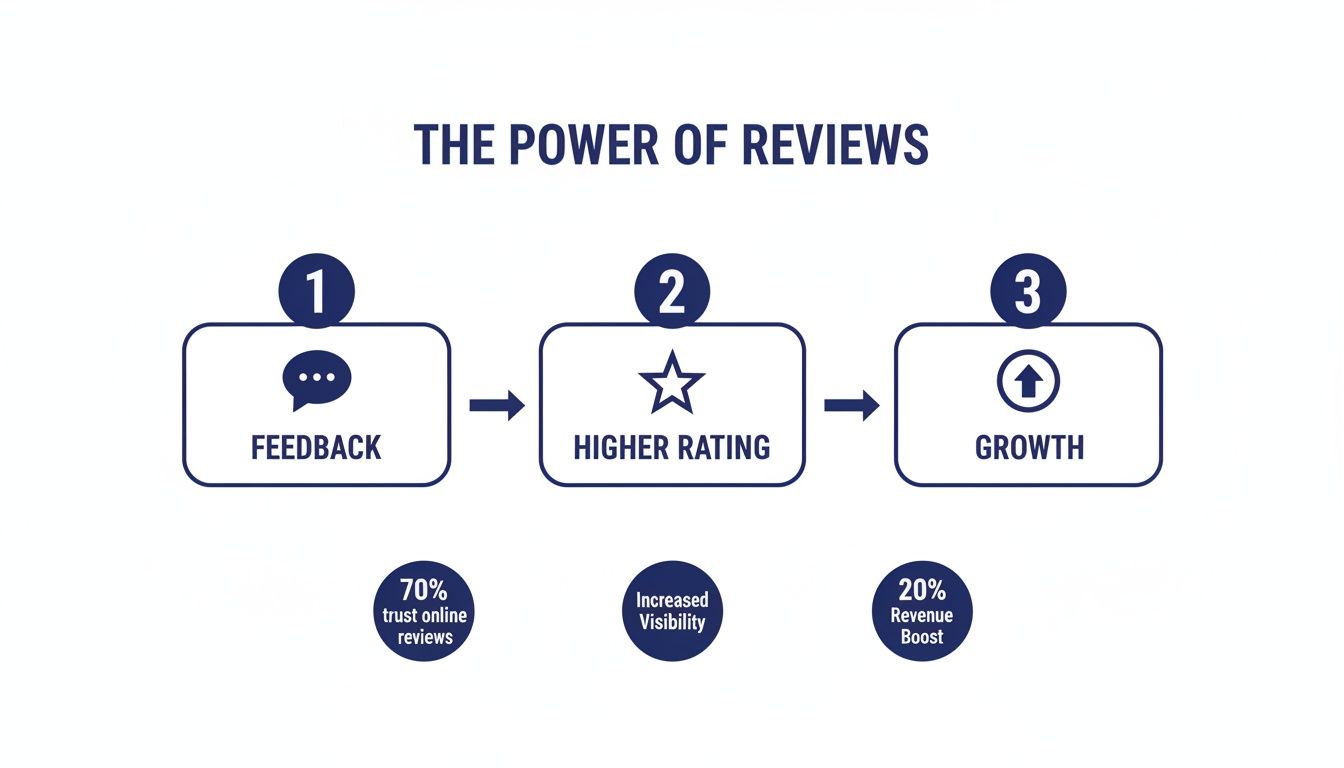
The key takeaway? Actively seeking feedback is the first step toward building a stronger online reputation, which directly fuels growth.
Use Key Milestones as Triggers
Certain moments in the customer lifecycle are natural, high-impact points to request feedback. These are the times when a customer's satisfaction is likely at its peak. Think about what a "win" looks like for your users and build your review strategy around those events.
Some of the most effective milestones include:
- After a Subscription Upgrade: When a customer decides to pay you more, they're sending a clear signal: they’re getting real value. A review request sent a few days after an upgrade can be very effective.
- After a Positive Support Interaction: Did your support team just knock a customer's problem out of the park? A happy customer who feels heard and helped is often more than willing to share their positive experience. You can trigger a review request shortly after a support ticket is resolved with a high satisfaction score.
- After a Contract Renewal: For annual contracts, a renewal is the ultimate vote of confidence. This customer has just committed to another year with your product, making it an ideal time to ask them to share their long-term experience.
Set Up Behavioral Triggers Inside Your App
Beyond lifecycle events, you can get even more granular by tracking how users interact with your software. Setting up behavioral triggers lets you ask for a review at the exact moment a user experiences a win. This approach makes your request highly relevant and timely.
A behavioral trigger is an in-app action that signals a user has become proficient and is getting real value. This is your green light to pop the question.
For instance, you could trigger a review request when a user:
- Exports their tenth report. This shows they are consistently using a core feature and relying on your tool for their work.
- Invites a new team member. Bringing colleagues onto the platform is a huge sign of trust and shows they see your product as a valuable team solution.
- Successfully integrates another app. When a user connects your SaaS with another tool in their tech stack, they are embedding it more deeply into their daily workflow.
- Completes a key project. If your tool is project-based, hitting a "project complete" milestone is a perfect moment of accomplishment to tap into.
By focusing on these value-driven moments, you ensure your request feels earned and appropriate. It transforms the ask from an interruption into a celebration of the customer's success.
Picking the Right Channels for Maximum Impact
Where you ask customers for reviews is just as important as when. Asking on the right channel can be the difference between getting a thoughtful response and being completely ignored.
The best approach? Go multi-channel. Meet your customers where they’re already active and engaged.

This means you are not just blasting out requests from a single source. Instead, you're building a system that uses different touchpoints, like email campaigns, in-app prompts, and cancellation flows, to make the review process feel natural and seamless.
Use Email for More Personal, Detailed Requests
Email is still a powerhouse for asking for reviews, especially in B2B SaaS. It gives you the space to add a personal touch and provide more context than a tiny in-app pop-up ever could. You can craft a message that reminds a user of the value they’ve gotten from your product, making the ask feel far more genuine.
For example, try sending a note to a long-time customer that mentions a specific feature they use all the time. It shows you're paying attention and that you care about their unique experience.
This approach often leads to more detailed, high-quality reviews. Plus, email is perfect for reaching users who might not log into your app every day but still depend on your service. It's a direct line to their inbox, cutting through the noise.
Capture In-the-Moment Feedback with In-App Widgets
In-app widgets are brilliant for catching feedback right at the peak moment of customer happiness. When a user finishes a key task or hits a big milestone, a small, non-intrusive widget can pop up asking for a quick rating. This is your shot to get a review when their positive feelings are strongest.
These prompts are highly contextual and super low-friction. A user can often leave a star rating with just a single click, all without ever leaving your platform.
Think of in-app requests as a quick high-five. They're immediate, easy, and capture the user's feelings right in the moment. This immediacy often translates to higher response rates for initial feedback.
For instance, after a user successfully exports a huge report for the first time, a small message could appear saying, "Glad that worked out! How are we doing?" The ask feels like a natural part of the workflow. You can even design these prompts to first ask a simple yes/no question, like "Loving [Your SaaS]?" If they click yes, then you can point them to a review site. For a deeper look, check out our guide on how to increase G2 reviews with surveys.
Get Brutally Honest Insights from Cancellation Flows
Nobody likes seeing a customer churn, but the cancellation flow is a golden opportunity to gather honest, unfiltered feedback. Users on their way out often have valuable insights into why your product did not hit the mark for them. This feedback is not for a public review site; it's for your product team.
By embedding a simple survey right into your offboarding process, you can ask direct questions like:
- What was the main reason you decided to cancel?
- What was the one feature you were hoping for that we did not have?
- Did you switch to a competitor? If so, which one?
This information is pure gold for reducing churn down the line. Tools like Surva.ai can help you build these intelligent cancellation flows. You can even present automated offers, like a temporary discount or a plan downgrade, based on their feedback to try and win them back on the spot.
The Power of a Multi-Channel Approach
Relying on just one channel means you're leaving valuable feedback on the table. A true multi-channel strategy combining email, in-app prompts, and targeted surveys will always get you the best results.
Typical survey response rates hover between 5% and 30%, but B2B SaaS teams with strong customer relationships can often push into the 23-30% range. The key is optimization. With 65% of people now checking email on their phones, making your surveys mobile-friendly is non-negotiable.
By using different channels for different moments, you create a review collection engine that feels less like a series of annoying requests and more like an ongoing, helpful conversation with your customers.
Crafting Review Request Messages That Actually Work
The words you choose when asking for a review can mean the difference between a thoughtful response and your email landing straight in the trash. A generic, robotic message gets ignored every time. To get results, your request needs to feel human, personal, and simple for your customer to act on.
Your goal is to show genuine appreciation for their business and make it clear their feedback is not just for you. It’s to help other people just like them.
Personalize Every Request
Personalization is your secret weapon here. Seriously. A message that starts with "Hey James" instead of "Dear Valued Customer" already has a much higher chance of being read. But real personalization goes way beyond just using their first name.
Try mentioning a specific interaction or a product they recently bought. For B2B SaaS, you could reference a feature they use all the time or a recent win they shared with their account manager. It's a small detail, but it proves the request is not coming from some faceless, automated machine.
Keep Your Message Short and Sweet
Nobody wants to read a five-paragraph essay begging for a review. Your customers are busy people. Respect their time by getting straight to the point with a message that's both concise and friendly.
Think about the channel you're using. An in-app prompt needs to be super brief, almost a one-liner. An email can have a little more breathing room, but clarity is still king.
A simple structure that always works is:
- Start with a genuine "thank you."
- Make a clear, simple ask.
- Give them a direct link to leave the review.
This little formula removes all the friction and tells the user exactly what you need them to do, which massively increases the odds they'll actually do it.
Make Leaving a Review Effortless
The single biggest roadblock to getting more reviews is friction. If a customer has to go searching for your profile on a review site or click through a complicated form, you've already lost them. Your job is to make the process so easy it takes less than a minute.
The easier you make it for someone to leave a review, the more likely they are to do it. Your request should include a single, clear call-to-action that takes them directly to the review submission page. One click should be all it takes.
For example, your email should have a big, obvious button that says "Leave a Review on G2" which links straight to your G2 review page. In-app messages should do the same. Do not make them hunt for it.
Frame the Request Around Helping Others
Here’s a psychological tip: people are often more motivated to help their peers than to help a company. Frame your request in a way that shows how their feedback will benefit the wider community. When you ask them to share their experience, you're inviting them to guide others in making a smart decision.
This approach shifts the focus from "help us out" to "help others like you." It makes the customer feel like their opinion is valuable and that they're a contributor. For instance, 76% of customers who are asked to leave a review actually do so, partly because they feel their experience can be genuinely helpful to others.
Review Request Template Library
You do not have to reinvent the wheel every time. Here are a few ready-to-use message templates you can tweak for different channels and situations. Just remember to inject your own brand's voice and personalize them to get the best results.
Feel free to mix and match these ideas. The key is to be authentic, make it easy, and show your customers that their voice truly matters.
How to Automate and Scale Your Review Collection
Manually chasing down every happy customer for a review is a grind. It’s not something that can scale. As your SaaS business picks up steam, you need a system that works for you in the background, not another task on your team's daily to-do list.
The trick is to build an automated engine that consistently brings in fresh feedback. This means stepping away from one-off, manual requests and creating a repeatable, trigger-based process. By connecting the tools you already use, you can build a machine that pinpoints your happiest users and asks them for a review at the perfect moment, every single time.
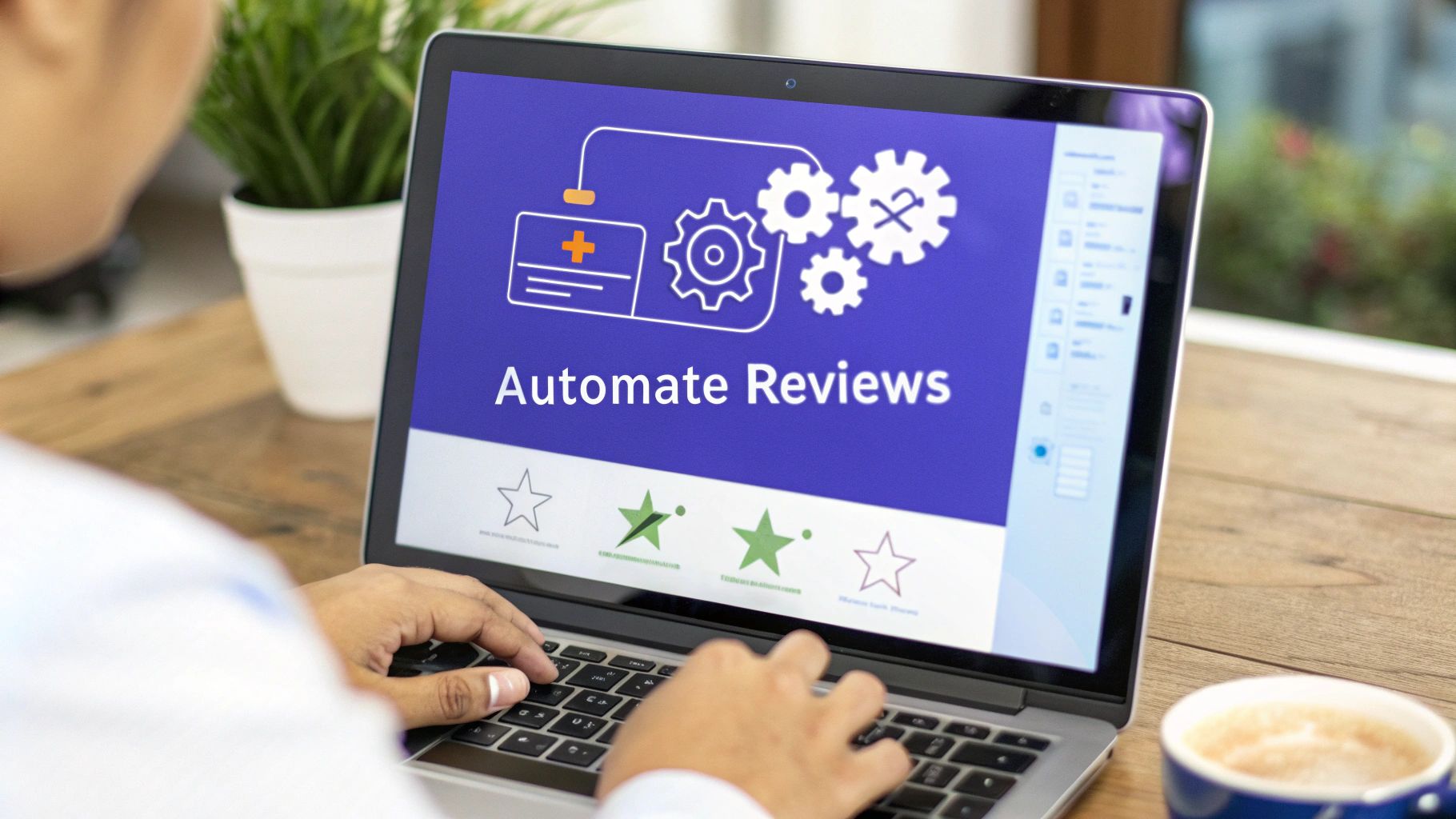
Connect Your Tools to Trigger Requests
The real power of automation comes from connecting the software you're already relying on. Your CRM, billing platform, and product analytics tools are sitting on a goldmine of data that signals customer satisfaction. When you integrate these systems, you can build workflows that automatically fire off review requests based on specific user behaviors.
Think about it: what actions scream "happy and successful user" in your platform? Those are your triggers.
For instance, you could create a flow where any customer who renews their annual plan gets a personalized email a week later asking for their thoughts. Or maybe your CRM flags a customer who has been with you for over a year and has a stellar health score. That’s a perfect trigger. For anyone serious about streamlining this, learning how to automate customer service for review collection is a great next step.
The goal is to create a true "set it and forget it" system. Once your automated workflows are live, they'll become a consistent source of fresh reviews, freeing up your team to focus on bigger things.
Here are a few powerful automation ideas to get you started:
- Post-Renewal: A customer renews their subscription in Stripe. This triggers an email review request through your marketing automation tool. Simple and effective.
- High Engagement: A user's activity in your app hits a certain milestone, like logging in 50 times in a month. This automatically adds them to a review request sequence.
- Positive NPS Score: Someone gives you a 9 or 10 on a Net Promoter Score survey. Do not let that positive vibe go to waste. Immediately follow up and ask them to share that sentiment publicly.
Always Be Testing Your Approach
Automation is not just about making things easier; it's about making them better. Once you have a system humming along, you can start A/B testing different elements of your outreach to see what resonates. This is how a good review collection strategy becomes a great one.
You do not have to overcomplicate it. Start by testing a few key variables:
- Subject Lines: Pit something straightforward like "Share your feedback on [Your SaaS]" against a more benefit-focused subject like "Help others like you by sharing your experience."
- Message Copy: Test a short, punchy message against a slightly longer one that gives more context on why their review matters so much.
- Timing: Try sending the request immediately after a trigger event versus waiting a few days. You might discover that a 24-hour delay gives people time to reflect and leads to more thoughtful, high-quality reviews.
By constantly testing and tweaking, you can steadily increase your conversion rates. This data-driven mindset makes sure your automated engine gets smarter and more effective over time, helping you scale your social proof right alongside your company's growth.
Responding to Reviews and Turning Feedback Into Growth
Getting reviews is great, but what you do with them is what really counts. How you respond, especially to the tough feedback, is where you have a huge opportunity to shape your brand's reputation and show everyone you’re listening.
Think of your response as more than just good manners; it's a powerful business strategy. A quick, thoughtful reply can flip a negative experience on its head, turning an unhappy customer into an advocate for your awesome customer service. When someone feels genuinely heard, they're far more likely to stick around.
The clock is ticking, though. You have a 33% higher chance of a reviewer improving a harsh one or two-star rating if you reply within 24 hours. Despite this, a staggering 63% of customers say they never even got a response. That’s a massive missed opportunity you can easily avoid.
How to Handle Negative Reviews
When a negative review rolls in, the first rule is simple: do not get defensive. Take a breath. Your first move should be to acknowledge their frustration, offer a sincere apology for their experience, and take ownership of the problem. No excuses.
Keep your public response professional and to the point. The goal is to show you're on it. Offer to move the conversation to a private channel like email or a phone call to dig into the specifics and find a real solution. This approach tells the original reviewer (and everyone else reading) that you're proactive and committed to making things right without airing all the details publicly.
Treat a negative review as a free consultation. It’s an unfiltered look into where your product or service is falling short, giving you a clear roadmap for what to fix.
How to Maximize Positive Reviews
Positive reviews are gold, so treat them that way. When a customer takes the time to say something great about your SaaS, that's a relationship worth nurturing. A simple, personal "thank you" can go a long way in building loyalty.
Do not stop at a generic thanks. Personalize your response by mentioning something specific they brought up in their review. It shows you actually read and appreciated their feedback, making them feel like a valued member of your community.
And please, do not let that amazing feedback just sit there gathering dust. Amplify it! Share glowing reviews on your social media channels, feature them on a testimonials page on your website, or sprinkle them into your marketing emails. This creates a powerful feedback loop where your happiest customers provide the social proof that helps you win over new ones. If you're looking for more inspiration, check out our complete guide on how to respond to to positive reviews.
Common Questions About Asking for Reviews
Even with a killer strategy in place, SaaS teams tend to bump into the same tricky questions when it comes to gathering reviews. Let's tackle some of the most common ones I hear all the time.
Is It Okay to Offer Incentives for Reviews?
This is a gray area, for sure. While tossing a reward out there will boost your review count, you run the risk of getting biased, less-than-honest feedback.
More importantly, the big players like G2 and Capterra have strict policies against offering cash or direct incentives for positive reviews. If you get caught, they will not hesitate to flag or even suspend your profile.
A much safer route is to offer a small, neutral incentive, think a $10 gift card, for a customer's time and honest feedback. Frame it as a small "thank you" for their effort, not a payment for a glowing five-star rating. And always, always double-check the terms of service for any platform you're targeting.
How Many Times Should I Ask a Customer for a Review?
When it comes to asking, less is definitely more. My go-to approach is to ask once at that "perfect moment" we talked about earlier. If you do not hear back, send a single, polite follow-up about three to five days later.
Anything more than that and you start to feel like spam. You'll quickly erode the goodwill you've worked so hard to build.
If a customer goes silent after one follow-up, just let it go. Your energy is much better spent identifying new, happy users to ask instead of hounding the same people. Your automation should also be smart enough to immediately stop the requests once someone leaves a review.
What Should I Do with Negative Reviews?
First off, do not panic. A negative review is a gift. It's free, brutally honest feedback on exactly what you need to fix. Your very first move should be to respond quickly and publicly.
Acknowledge their problem, apologize for their bad experience, and offer to take the conversation to a private channel like email to get it sorted out. Whatever you do, do not get defensive or start making excuses.
A professional, empathetic response shows potential customers that you take feedback seriously and are committed to making things right. It turns a negative into a public display of fantastic customer service.
Internally, treat that feedback like gold. Use it to hunt down bugs, clarify confusing features, or plug the gaps in your user experience. This transforms a complaint into a valuable data point that can directly inform your product roadmap.
Ready to turn customer feedback into your biggest growth driver? Surva.ai gives you the tools to collect valuable reviews, testimonials, and insights with intelligent surveys and automated churn-deflection flows. Stop guessing what your users want and start building a better SaaS product today. Learn more at Surva.ai.

Sophie Moore
Sophie is a SaaS content strategist and product marketing writer with a passion for customer experience, retention, and growth. At Surva.ai, she writes about smart feedback, AI-driven surveys, and how SaaS teams can turn insights into impact.