How to Craft an Effective Survey by Email
Learn how to create a survey by email that gets real responses. Get practical tips on question design, email writing, and automation for SaaS teams.
Sending a survey by email is one of the most direct and effective ways to get inside your users' heads. It lands your questions right in their inbox, a place they already check multiple times a day, making it incredibly convenient for them to share their thoughts.
Why Email Is a Powerful Channel for Surveys
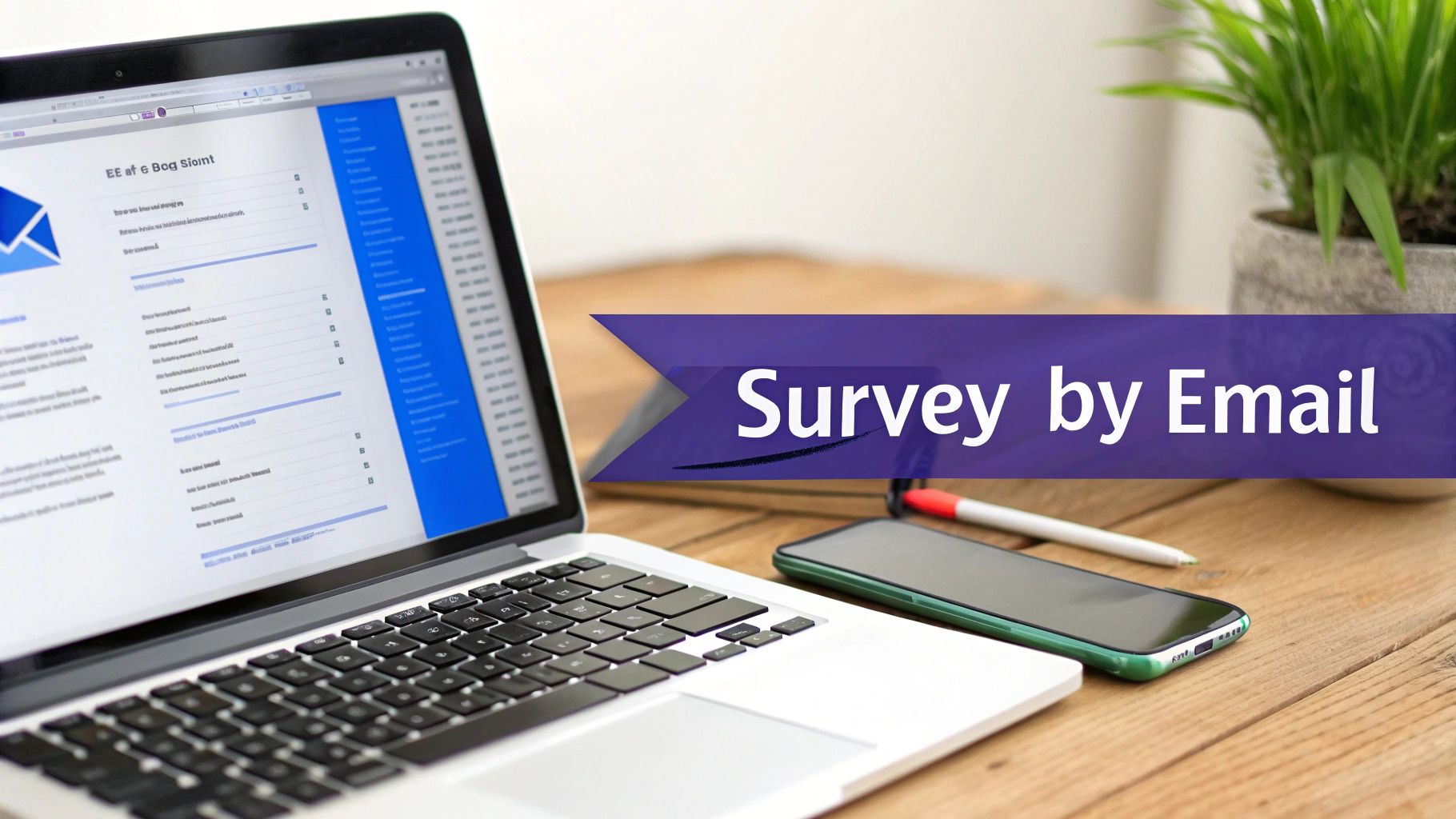
Thinking about using email for your next survey? It’s a smart move. Email cuts through the noise and puts your questions directly in front of the people who matter most. This simple, direct access is why it consistently delivers such valuable customer feedback, especially for SaaS businesses.
The sheer reach of email is staggering. The number of global email users is expected to hit 4.6 billion in 2025, which is more than half the world's population. With businesses sending over 375 billion emails every single day, you are joining a conversation in a familiar space.
And it gets better. A massive 99% of users check their email every day, giving your survey an excellent chance of being seen.
Reaching Customers at the Right Time
One of the biggest wins with email surveys is timing. You can trigger them based on specific actions or milestones, letting you ask for feedback when the experience is still fresh. This is where the magic really happens.
Think about these moments:
- Right after onboarding: A perfect time to check how well you've set up new users for success.
- Following a support ticket: Instantly gauge customer service satisfaction.
- When a user cancels their subscription: The ideal opportunity to find the real reasons for churn.
This approach gives your questions important context, leading to far more thoughtful and accurate responses. It turns a generic questionnaire into a perfectly timed, relevant conversation.
A well-timed email survey can help you find out customer satisfaction, identify the root causes of churn, and gather authentic testimonials to fuel your growth.
Driving Business Growth with Feedback
Email surveys are more than just a data collection tool; they are a growth engine. The feedback you gather can directly shape your product roadmap, fine-tune your customer success strategies, and arm you with powerful social proof.
To get a feel for the broader advantages, it's worth exploring the key email marketing benefits. When you truly listen to your users, you are improving your product and building a more loyal customer base that feels heard and valued.
Building Your Email Survey Strategy
A great email survey is much more than a list of questions fired off into the void. The most effective survey campaigns are all built on a rock-solid strategy, long before a single question is written or the "send" button is considered.
Without a clear plan, you're just guessing. You'll end up with a pile of vague, unhelpful data that doesn't really tell you anything or lead to meaningful business improvements.
So, the very first thing to nail down is your primary goal. What, exactly, are you trying to accomplish with this survey by email? Are you trying to figure out which features make users stick around? Or maybe you want to gauge how happy a customer is right after they've chatted with your support team. Perhaps the goal is simpler: to gather some glowing testimonials for your marketing site.
This single decision, your goal, will shape everything else that follows, from the questions you ask to the specific group of users you send it to.
Defining Your Audience and Objectives
Sending the same generic survey to your entire user base is one of the most common mistakes I see teams make. It’s like casting a huge, messy net and just hoping for the best. The result? Abysmal response rates and muddy, unusable data.
A much smarter approach is to segment your audience.
By breaking your users down into smaller, more specific groups, you can ask questions that are directly relevant to their unique experience with your product. This simple tweak makes your surveys feel way more personal and valuable, which naturally encourages more people to respond.
Here are a few common segments we see SaaS businesses use all the time:
- New Users: The folks who just signed up and are still finding their way around during onboarding.
- Power Users: These are your champions, the most active and engaged customers you have.
- At-Risk Users: Customers whose activity has dropped off or who are coming up on their renewal date.
- Recently Churned Users: The people who just canceled their subscriptions.
Once you have your segments, you can match them to a specific survey goal. For instance, you could send a targeted survey to those at-risk users to find their pain points before they decide to churn. This kind of proactive approach can be incredibly powerful for keeping your customers around.
A targeted survey sent to the right audience at the right time is far more powerful than a generic one sent to everyone. Relevance is the key to unlocking high-quality feedback.
Here is a breakdown of common survey goals for SaaS businesses and the question types that align with each objective.
Matching Survey Goals with Question Types
Matching your goal, audience, and question type is the secret sauce to collecting feedback that you can actually act on.
Getting the Timing Just Right
When you send your survey is just as important as what you ask. Hitting a user with a survey at the perfect moment in their journey can dramatically boost your response rates and the quality of the feedback you receive. The key is to ask when the experience is still fresh in their mind.
Think about it: sending a survey about your onboarding process a year after someone signs up is pointless. The details will be fuzzy, and the feedback won't be very useful.
Instead, trigger your surveys based on specific user actions.
- Post-Onboarding: Send a quick survey 7-14 days after signup to see how well you set them up for success.
- After a Key Feature is Used: Ask for feedback right after they’ve experienced a core "aha!" moment in your product.
- Immediately After a Support Interaction: Measure customer service satisfaction when the conversation is still fresh. This is non-negotiable.
- Following a Cancellation: This is your golden opportunity to get brutally honest feedback on why they decided to leave.
Timing your surveys strategically turns them from a random interruption into a natural part of the customer conversation. And that's how you get the game-changing insights you need to grow.
Writing Questions People Will Actually Answer

Let's be honest: your questions make or break your survey. If they're confusing, biased, or just take too much brainpower to figure out, people will bail. Your goal is to make the experience so smooth that finishing the survey feels easier than ignoring it.
It all starts with picking the right tool for the job. Not all question formats are created equal, and choosing the right one is half the battle.
Choosing the Right Question Formats
Different goals demand different approaches. For a survey by email, you want formats that are lightning-fast and dead simple to answer on any device.
Here are the heavy hitters and when I like to use them:
- Multiple-Choice: This is your go-to when you already have a set of possible answers. It's perfect for asking about feature usage, user roles, or anything that fits into neat categories. You get clean, easy-to-analyze data with minimal effort from the user.
- Rating Scales (like NPS): Need to measure sentiment? A 1-10 scale is your best friend. It’s universally understood and takes seconds to complete, making it ideal for gauging customer satisfaction or loyalty.
- Open-Ended Questions: Use these sparingly, but make them count. They're your secret weapon for digging into the "why" behind the data. Think of them as the perfect follow-up to a low NPS score or the best way to find the real reasons for a cancellation.
Always ask yourself: "What's the quickest, simplest way I can get the information I need?" More often than not, a straightforward multiple-choice or rating scale question is the answer.
Keeping Your Questions Simple and Unbiased
Clarity is king. Drop the industry jargon, acronyms, and convoluted phrasing. Every single question needs to be so clear that it’s impossible to misinterpret. I always recommend writing for a broad audience; if your cousin who knows nothing about your industry can understand it, you're on the right track.
Just as important is stamping out bias. It’s shockingly easy to accidentally write a "leading" question that nudges people toward a specific answer, which completely contaminates your data.
Big difference here:
- Leading Question: "How much did you enjoy our amazing new feature?"
- Neutral Question: "How would you rate your experience with our new feature?"
The first example practically begs for a positive response, which will definitely skew your results. The second one is neutral territory, inviting an honest take, good, bad, or indifferent. For more information, check out our guide on how to write effective survey questions.
Respecting Your User's Time
So, what's the perfect survey length? Shorter than they expect. Time and time again, I've seen short, focused surveys get way higher completion rates than long, rambling ones.
Try to build a survey that takes no more than 2-5 minutes to complete. That usually works out to about 5-10 well-crafted questions.
And please, be upfront about it in your email. A simple heads-up like, "This will only take 3 minutes," sets clear expectations and shows you value their time. That one little detail can be the difference between someone clicking through your survey by email or sending it straight to the trash.
Your survey email has one job: get people to click through and actually complete it.
Think of the email as the gatekeeper to all that juicy, valuable data you're hoping for. If the invitation falls flat, your response rates will tank before you even get off the ground.
Crafting an Effective Survey Invitation Email
The first hurdle is always the subject line. In a ridiculously crowded inbox, yours has to be clear, compelling, and honest.
Vague titles like "Feedback Request" are just begging to be ignored. You have to be specific and frame it around what’s in it for them. Try something like, "Got 2 mins? Help us improve [Product Name] for you." This sets clear expectations and puts the focus squarely on their benefit. For more ideas, we've gathered a bunch of survey email subject lines that we've seen work really well.
Writing the Email Body
Okay, they opened it. Now you have to convince them to click.
My best advice? Be direct and respectful of their time. Keep your message short and sweet. No one wants to read long, rambling paragraphs; they’ll just hit the "delete" button.
Explain why you're asking for their feedback. People are much more willing to help when they see the purpose behind the ask. A simple line like, "Your feedback will help us prioritize new features and fix what's not working" is way more effective than a generic plea.
Next, give them an honest time estimate. If you say the survey takes two minutes, make absolutely sure it takes two minutes. Trust is everything.
At the end of the day, none of this matters if your email doesn't get opened in the first place. Brushing up on how to improve email open rates is a vital first step to maximizing responses.
The Power of Personalization and a Clear CTA
Personalization is more than just dropping in {{first_name}}. You need to use the data you have to make the invitation feel relevant. For instance, if you're surveying a user after a support ticket was closed, mention that specific interaction. This context shows you're paying attention, not just blasting out another mass email.
When done right, a survey by email can drive serious results. The ROI can be staggering, with some reports showing a 36x return for SaaS teams gathering feedback to improve conversions. And with global email users projected to hit 4.89 billion by 2027, the potential reach is massive.
Finally, let’s talk about the call-to-action (CTA). This is where the magic happens, so don't make them hunt for it.
Here are a few non-negotiables for a great CTA:
- Make it a button. Buttons are visual magnets. They stand out way better than a simple text link.
- Use action-oriented text. Ditch "Click Here." Go for something like "Share Your Feedback" or "Start the Survey."
- Use high contrast. The button's color should pop against the email's background. Make it impossible to miss.
A big, bold, well-designed CTA is the final nudge your user needs to jump in and give you the feedback you're looking for.
How to Send and Automate Your Email Survey
Okay, you've got your strategy nailed down, the questions are sharp, and your email invitation is ready to go. Now for the fun part: actually launching the survey. This is where we move from planning to action, turning your survey into a hands-off, proactive tool that gathers feedback for you around the clock.
The real magic happens when you connect your survey tool to the other platforms you live in every day. I'm talking about creating a feedback ecosystem where your survey software talks directly to your email platform, your payment processor like Stripe, and even your team's communication hub like Slack. This kind of setup lets you send out surveys based on what your users are actually doing.
Triggering Surveys Based on User Actions
Instead of blasting your survey to everyone at once, you can set up automated triggers for specific moments in the customer journey. This makes your feedback requests feel incredibly timely and relevant, which is a game-changer for response rates.
Here are a few powerful examples I’ve seen work wonders:
- After a Purchase: Hook up your survey tool to Stripe. When a customer makes a new purchase or upgrades their plan, you can automatically send them a survey a few days later to check in on their experience.
- Following a Support Interaction: Integrate with your help desk software. As soon as a support ticket is marked as resolved, a quick customer satisfaction survey gets sent out. Simple, effective.
- During a Cancellation Attempt: This one is huge. When a user clicks that dreaded "cancel subscription" button, you can immediately show them a churn survey asking why they're leaving.
This whole process boils down to three simple steps: a great subject line to get the open, a clear email body to explain the "why," and a compelling call to action to get the click.
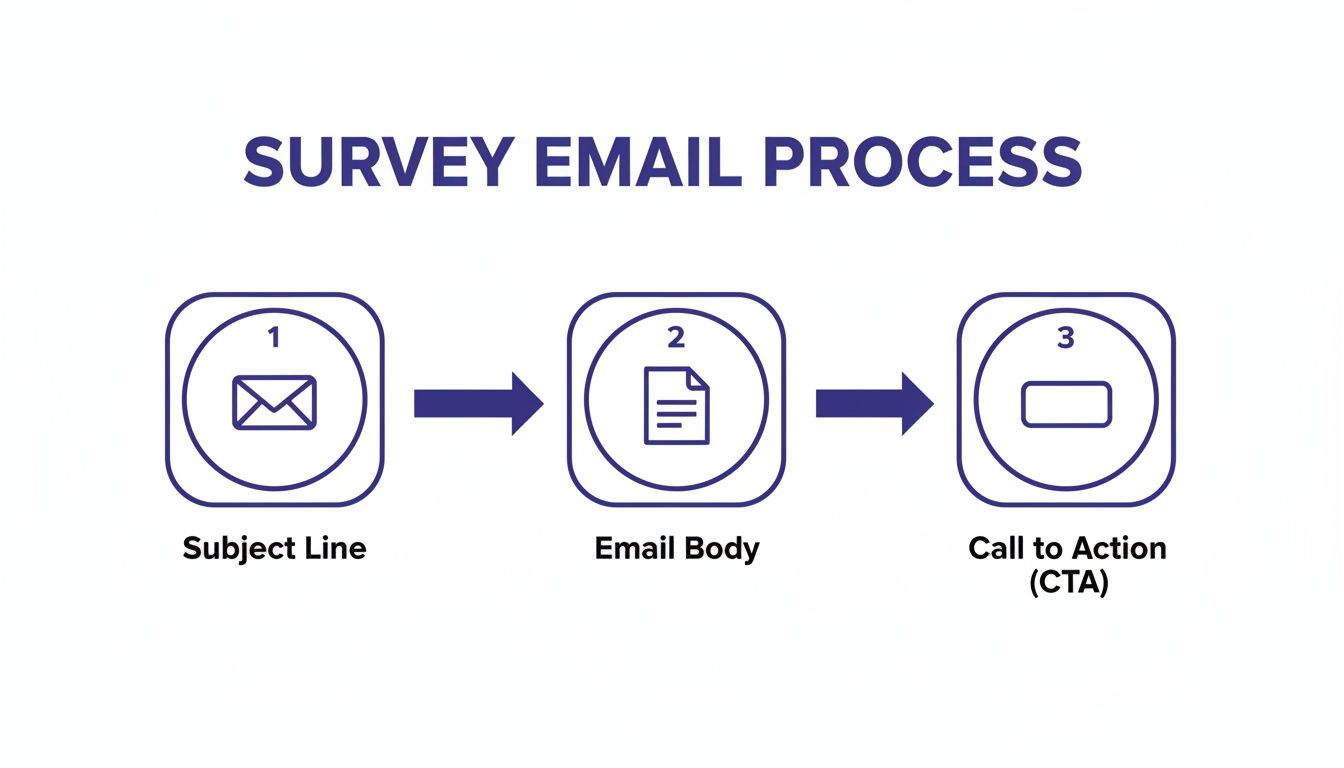
Each step is an important fork in the road; you either capture their attention or lose them for good. That's why keeping the process clean and simple is non-negotiable.
Using Automation to Reduce Churn in Real Time
Automation isn’t just for sending surveys; it’s about acting on the feedback you get instantly. This is how you transform a basic questionnaire into a powerful tool for deflecting churn and boosting retention.
Picture this: a user is canceling and their survey response says they're leaving because of the price. Instead of just logging that data for a report nobody reads, you can set up an automated workflow. That workflow immediately sends them a personalized follow-up email with a special discount to convince them to stay.
A simple automated workflow can be the difference between losing a customer and keeping them. For example, if a user gives a low NPS score, you could automatically create a new ticket in your support system and ping the customer success team with a Slack alert.
This kind of real-time response shows customers you’re actually listening and trying to solve their problems, not just collecting data.
It’s also a great idea to embed the first question of your survey directly into the email. It reduces friction and makes it ridiculously easy for users to respond. Learning how to embed a survey in an email can give your completion rates a nice little bump.
And don't forget mobile. A massive 42% of all emails are opened on mobile, which means your survey absolutely has to look and work perfectly on a small screen. A responsive design can increase unique mobile clicks by 15%, an important boost when you're trying to get as much feedback as possible. Considering that one in five campaigns underperforms without mobile optimization, it's a step you just can't afford to skip. You can dig deeper into the impact of mobile on email marketing statistics over on Hostinger's blog.
Got Questions About Email Surveys? We've Got Answers.
When you're about to hit 'send' on a survey, a few last-minute questions always seem to surface. Getting these details right can be the difference between a flood of insightful responses and a trickle of lukewarm feedback. Let's tackle some of the most common ones I hear.
What Is the Best Day and Time to Send an Email Survey?
Everyone wants the magic formula for the perfect send time, but the truth is, there isn't one. However, we have some solid starting points. General wisdom points to standard business hours, with Tuesday, Wednesday, and Thursday mornings often showing the strongest engagement. Most people are settling into their work week and clearing out their inboxes.
But that’s just a baseline. The real best time depends entirely on your audience. Think about who they are. A developer’s email habits are wildly different from a marketer's. Your best move is to test it out. Send a few small batches at different times and on different days, then let your open and click rates tell you what works for your users.
How Long Should My Email Survey Be?
Keep it short. Seriously. Your users are busy, and their attention is a precious resource.
Aim for a survey that someone can breeze through in 2 to 5 minutes. That usually translates to about 5 to 10 questions. If you find yourself needing more in-depth feedback, it's far better to send multiple, highly-focused surveys over time rather than one monster questionnaire that nobody finishes.
Pro Tip: Always, always state the estimated completion time right in your email. Something as simple as "This will only take 3 minutes" sets clear expectations and can dramatically boost your completion rates. People are much more likely to start something when they know exactly what they're committing to.
Should I Offer an Incentive for Completing a Survey?
Incentives can be a double-edged sword. On one hand, they can definitely give your response rates a nice bump. On the other, you risk attracting people who are just there for the freebie, which can skew your data.
If you go the incentive route, make it relevant to your business. A discount on their next renewal, a credit to their account, or even a small gift card can work wonders. Avoid generic, high-value prizes that have nothing to do with your product.
Honestly though, for many SaaS surveys, the most powerful incentive isn't a prize at all. It's the simple promise that you're listening and that their feedback will directly improve the product they use every day. A genuine message like, "Help us make this better for you," frames the survey as a partnership, not a transaction. And that’s often all the motivation your best users need.
Ready to turn user feedback into your biggest growth driver? With Surva.ai, you can create smart email surveys, set up automated churn-deflection flows, and collect testimonials that build serious trust. Get started for free and finally find out what your customers are really thinking.

Sophie Moore
Sophie is a SaaS content strategist and product marketing writer with a passion for customer experience, retention, and growth. At Surva.ai, she writes about smart feedback, AI-driven surveys, and how SaaS teams can turn insights into impact.